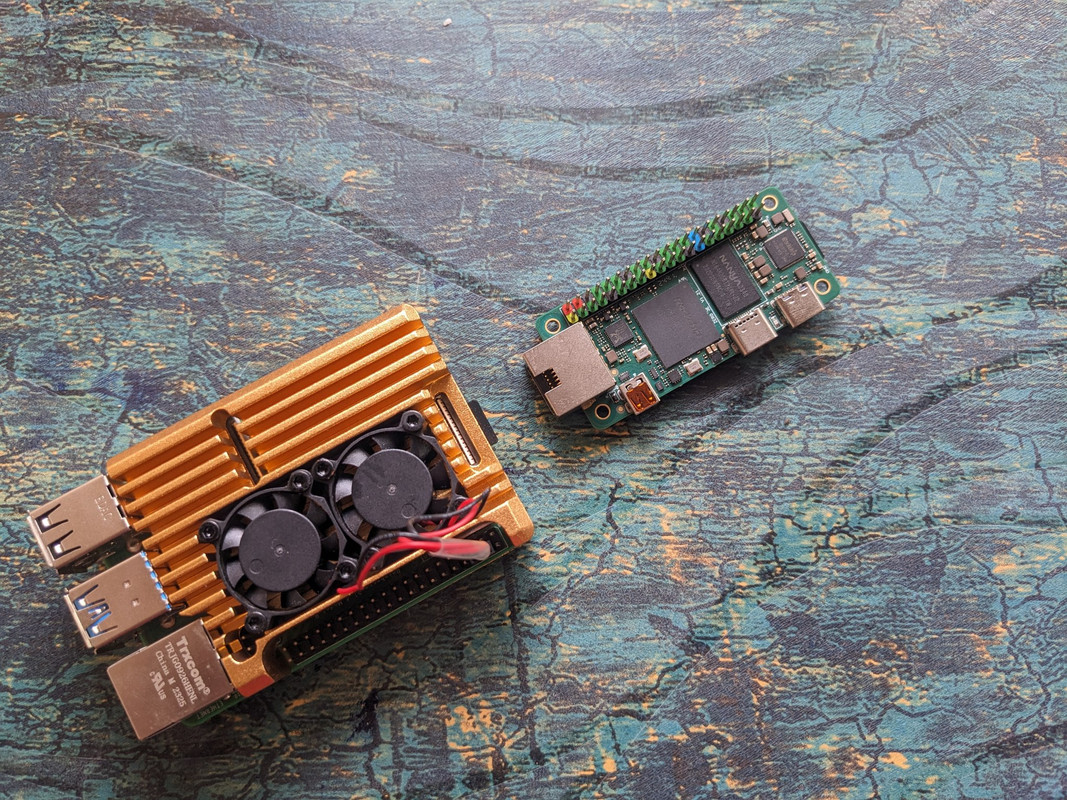
Why You Should Consider Buying Single Board Computers (SBCs) in 2025
Traditional desktop computers are becoming increasingly overkill for many everyday tasks, while being power-hungry, expensive, and bulky. Single Board Computers offer a compelling alternative in 2025, providing sufficient computing power for most users while being energy-efficient, affordable, and incredibly versatile. Whether you're a hobbyist, developer, or looking for a cost-effective computing solution, SBCs have evolved to meet modern computing needs with remarkable capabilities.
Key Advantages of SBCs in 2025
-
Dramatic Performance Improvements - Modern SBCs now feature multi-core ARM processors, up to 8GB RAM, and dedicated AI acceleration chips capable of handling 4K video, light desktop computing, and machine learning tasks.
-
Exceptional Energy Efficiency - Consuming only 5-15W compared to 150-300W for traditional desktops, SBCs reduce electricity costs by 90% while providing always-on capabilities without guilt.
-
Unprecedented Affordability - Complete systems starting at $35-75, making computing accessible globally and enabling multiple-device setups for specialized tasks without breaking the budget.
-
GPIO Hardware Interface - Direct access to GPIO pins enables seamless integration with sensors, motors, LEDs, and other hardware components for IoT and automation projects.
-
Compact Form Factor - Credit card-sized boards that fit anywhere, perfect for embedded systems, portable projects, and space-constrained environments.
-
Mature Ecosystem - Extensive community support, pre-built operating systems, comprehensive documentation, and thousands of tutorials make getting started easier than ever.
Popular SBC Options in 2025
-
Raspberry Pi 5 - The gold standard with 2.4GHz quad-core CPU, up to 8GB RAM, dual 4K display support, and the largest community ecosystem.
-
Orange Pi 5 Plus - High-performance option with 8-core ARM processor, up to 32GB RAM, M.2 SSD support, and excellent price-to-performance ratio.
-
Rock Pi 4 - Powerful alternative with 6-core processor, 4GB RAM, USB 3.0, and native Android/Linux support for multimedia applications.
-
NVIDIA Jetson Nano - AI-focused board with 128-core GPU, perfect for machine learning, computer vision, and robotics projects requiring hardware acceleration.
-
Pine64 RockPro64 - Open-source focused with 6-core ARM processor, PCIe slot, and strong privacy-oriented community support.
Primary Use Cases
-
Home Server & NAS - Run Plex media servers, file storage, backup systems, and home automation hubs with 24/7 reliability at minimal power cost.
-
Development & Learning - Perfect for learning programming, electronics, Linux administration, and computer science concepts without expensive hardware.
-
IoT & Automation - Control smart home devices, sensors, cameras, and automation systems with direct GPIO access and wireless connectivity.
-
Media Centers - Stream 4K content, run Kodi or Emby, retro gaming emulation, and digital signage applications with HDMI output.
-
Edge Computing - Deploy AI models locally, process sensor data in real-time, and run applications closer to data sources for reduced latency.
-
Educational Projects - Teach coding, electronics, networking, and system administration with hands-on, affordable hardware that students can own.
Cost Comparison Analysis
| Component | Traditional Desktop | SBC Setup | Savings | | --- | --- | --- | --- | | Base Unit | $500-800 | $50-100 | 85-90% | | Annual Power Cost | $150-300 | $15-30 | 90% | | Storage | $50-100 | $20-40 | 60% | | Accessories | $100-200 | $30-50 | 75% | | Total First Year | $800-1400 | $115-220 | 80-85% |
Getting Started Recommendations
-
Choose Your Board - Start with Raspberry Pi 5 (4GB) for best community support and documentation availability.
-
Essential Accessories - Get a quality microSD card (32GB+), USB-C power supply, micro-HDMI cable, and basic GPIO starter kit.
-
Operating System - Install Raspberry Pi OS for beginners, Ubuntu for desktop use, or specialized distributions(DietPi, Armbian) for specific applications.
-
First Projects - Begin with LED blinking, temperature monitoring, or setting up a basic web server to learn GPIO and software basics.
-
Join Communities - Engage with Reddit communities, official forums, and local maker spaces for support and project inspiration.
Performance Expectations
What SBCs Handle Well:
- Web browsing and email
- Office productivity tasks
- 1080p/4K video streaming
- Basic photo editing
- Programming and development
- Server applications
- IoT data collection
Current Limitations:
- Heavy video editing
- AAA gaming
- Large dataset processing
- Multiple VM instances
- CAD/3D rendering
- Professional audio production
Future Outlook
The SBC market in 2025 shows tremendous momentum with ARM processors approaching desktop-class performance, AI acceleration becoming standard, and prices continuing to decrease. Major trends include better software optimization, expanded peripheral support, and integration with edge computing infrastructure. SBCs are positioned to become the default choice for many computing tasks traditionally requiring full desktop systems.